
Download Story Spark – AI‑Powered Children’s Storytelling Platform
Overview
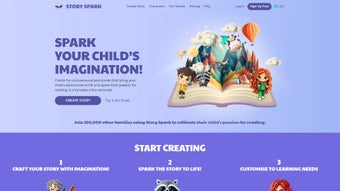
Story Spark is an innovative, web‑based AI writing assistant created especially for children. By blending cutting‑edge language models with educational best practices, the platform generates unique, age‑appropriate stories that adapt to each child’s interests, reading level, and learning needs. Whether you’re looking for a soothing bedtime tale, a vibrant adventure that teaches science concepts, or a culturally diverse narrative that celebrates inclusion, Story Spark tailors the content in real time.
Parents and educators love the built‑in safety filters that guarantee every story remains free of inappropriate language or themes, making it a trustworthy companion for families. Beyond storytelling, the platform enriches the reading experience with interactive quizzes, printable activity sheets, and discussion prompts that reinforce comprehension and critical thinking. For neurodivergent learners, Story Spark offers optimized text formatting, adjustable pacing, and visual aids that reduce cognitive load and boost engagement.
The platform’s intuitive dashboard lets adults set preferences, monitor progress, and curate collections of favorite stories, turning reading time into a personalized learning journey. In short, Story Spark is more than a story generator—it’s a holistic literacy tool that encourages a love for reading while supporting diverse learning styles in a secure, fun environment.
Core Features & Learning Tools
- AI‑Generated Stories Customized by Age, Interests, and Reading Level
- Inclusive Content Library Covering Bedtime, Adventure, Educational, and Cultural Themes
- Neurodivergent‑Friendly Text Options (adjustable font size, line spacing, and narration speed)
- Interactive Quizzes Aligned with Story Content to Reinforce Comprehension
- Printable Activity Sheets and Coloring Pages for Offline Engagement
- Parental Dashboard for Monitoring Reading Time, Progress, and Content Preferences
- Secure Age‑Verification and Content Filtering to Ensure Child‑Safe Material
- Multilingual Support for English, Spanish, French, and Mandarin
- Regular Content Updates Powered by Community Feedback and Educational Research
- Easy Sharing Options for Teachers to Distribute Stories to Classroom Groups
Pros
- Highly personalized storytelling that keeps children engaged.
- Robust safety mechanisms guarantee age‑appropriate content.
- Learning extensions (quizzes, activities) turn passive reading into active learning.
- Accessibility features make it suitable for neurodivergent users.
- Web‑based, no heavy downloads required; works on most modern browsers.
Cons
- Requires a stable internet connection for AI generation.
- Free tier limits the number of stories per month.
- Advanced customization (voice‑over, animation) is only available in premium plans.
Installation, Usage, Compatibility & Frequently Asked Questions
Story Spark is a cloud‑native solution, which means there is no traditional installation process. Users simply visit www.storyspark.com, create a parent or educator account, and start generating stories instantly. The onboarding wizard guides you through setting the child’s age range, favorite topics, and any specific learning accommodations. Once preferences are saved, the AI engine produces a story within seconds, and you can read it on‑screen, enable narration, or download a PDF version for offline reading.
Compatibility (itemprop="operatingSystem")
Because Story Spark runs entirely in the browser, it is compatible with virtually any device that supports modern HTML5 standards:
- Windows 10/11 (Chrome, Edge, Firefox)
- macOS 12+ (Safari, Chrome, Firefox)
- iOS 14+ (Safari, Chrome)
- Android 9+ (Chrome, Firefox)
- Chromebooks and Linux distributions with recent browsers
No additional plugins or software are required, making the platform both lightweight and secure.
FAQ (FAQPage)
-
Is Story Spark safe for children under 8?
Yes. All content passes through an AI‑driven safety filter and a manual review process to ensure it is age‑appropriate, free of profanity, and free of violent or scary themes.
-
Can I use Story Spark offline?
You can download the generated story as a PDF or ePub for offline reading, but new story generation requires an internet connection.
-
What accommodations are available for neurodivergent learners?
Story Spark offers adjustable font sizes, line spacing, background color contrast, and a narration speed slider. You can also enable visual cue icons that highlight key vocabulary.
-
Is there a free version, and what limits does it have?
The free tier allows up to five story generations per month and includes basic quizzes. Premium plans remove these caps and unlock advanced voice‑over and animation features.
-
How does Story Spark protect my child’s privacy?
All personal data is encrypted in transit and at rest. The platform complies with COPPA and GDPR‑Kids standards, and no story content is used for advertising purposes.
Conclusion & Call to Action
Story Spark stands out as a secure, AI‑driven storytelling platform that does more than entertain—it actively supports literacy development and accommodates diverse learning needs. The blend of personalized narratives, interactive learning tools, and rigorous safety standards makes it a valuable addition to any home or classroom. While the free tier offers a taste of the experience, families seeking unlimited story generation and premium customization will find the subscription pricing reasonable given the educational value delivered. Ready to spark a love of reading in your child? Download Story Spark today and explore a world where every story is crafted just for them.
Rating: 4.7/5
Pros: Personalized content, strong safety, learning extensions.
Cons: Requires internet, limited free usage.



.png)



